

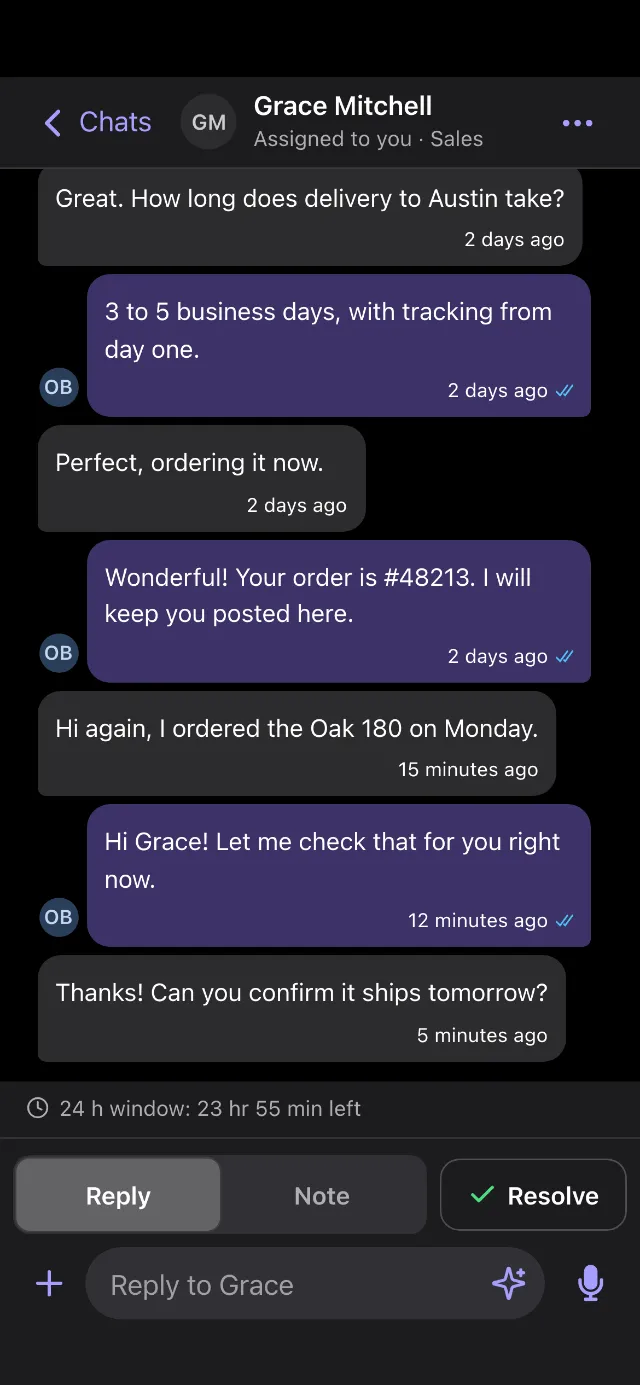
Your PulpoChat works on your phone too: the same chats and the same team, in your phone's browser, made for your thumb and with dark mode. On your computer, everything stays where it was.
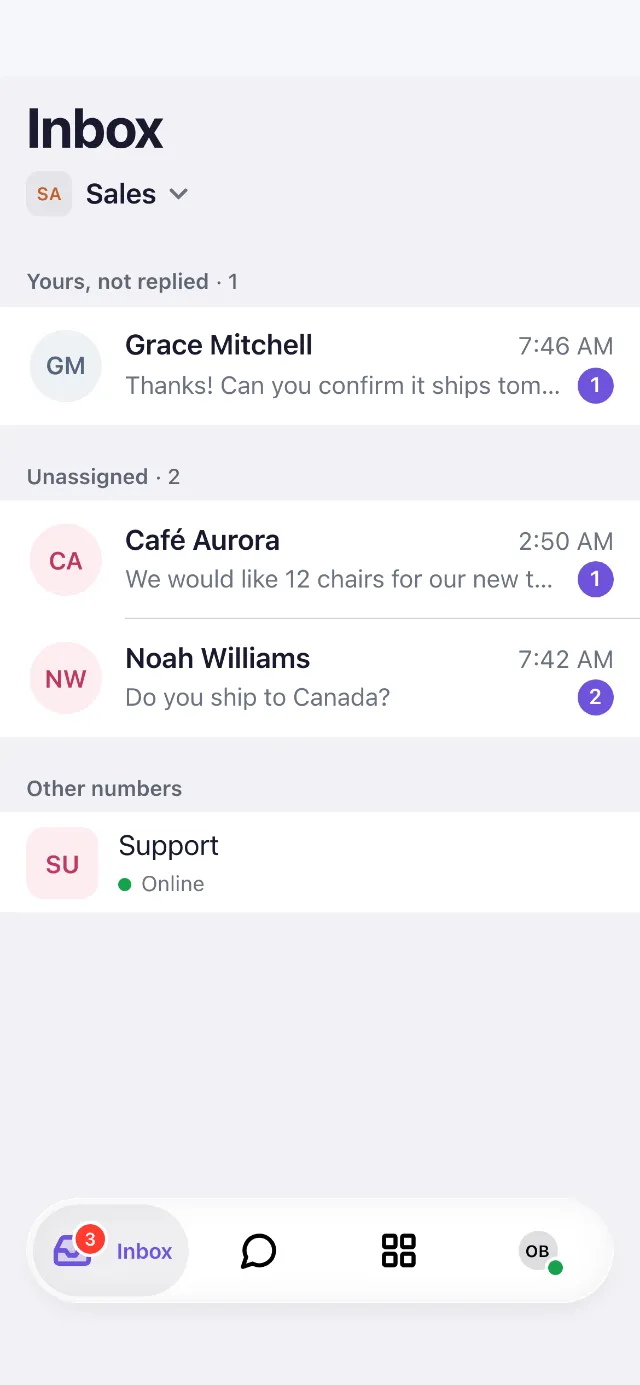
Set it up on your phone
- On your phone, open the browser you use and go to https://app.pulpo.chat.
- Add it to your home screen from the browser's menu:
- iPhone: tap Share (the square with an arrow; if you don't see it, open the ⋯ menu first). Scroll down, tap Add to Home Screen, then Add.
- Android: open the menu (⋮), then Add to Home screen or Install app, and confirm.
- Open PulpoChat from its new icon and sign in the same way you do on your computer.
From now on, open it from that icon: full screen, like any other app.
Find your way
The bar at the bottom has your tabs. The one you're on shows its name:
- Inbox (the tray): what to answer first. Your chats waiting for a reply, and the ones nobody has taken yet.
- Chats (the speech bubble): every conversation of the number, with All chats, Mine and Unassigned at the top.
- Overview (the four squares): your numbers, your team and the rest of your account. If you are an agent, this tab is Team (two people).
- You (your photo or initials): your availability, notifications, language and help. For dark mode, tap Appearance and choose Light, Dark or Automatic, which follows your phone.
To switch number, tap its name under the title.
- Tap a chat to open it.
- Write in the box at the bottom and send. Tap + to send a photo or a file.
- Tap Note to leave a note that only your team sees. Tap Reply to write to the customer again.
- Tap ⋯ at the top, then Assign chat, to give the chat to someone on your team.
- Tap Resolve when it's done. If the customer writes again, the chat comes back.
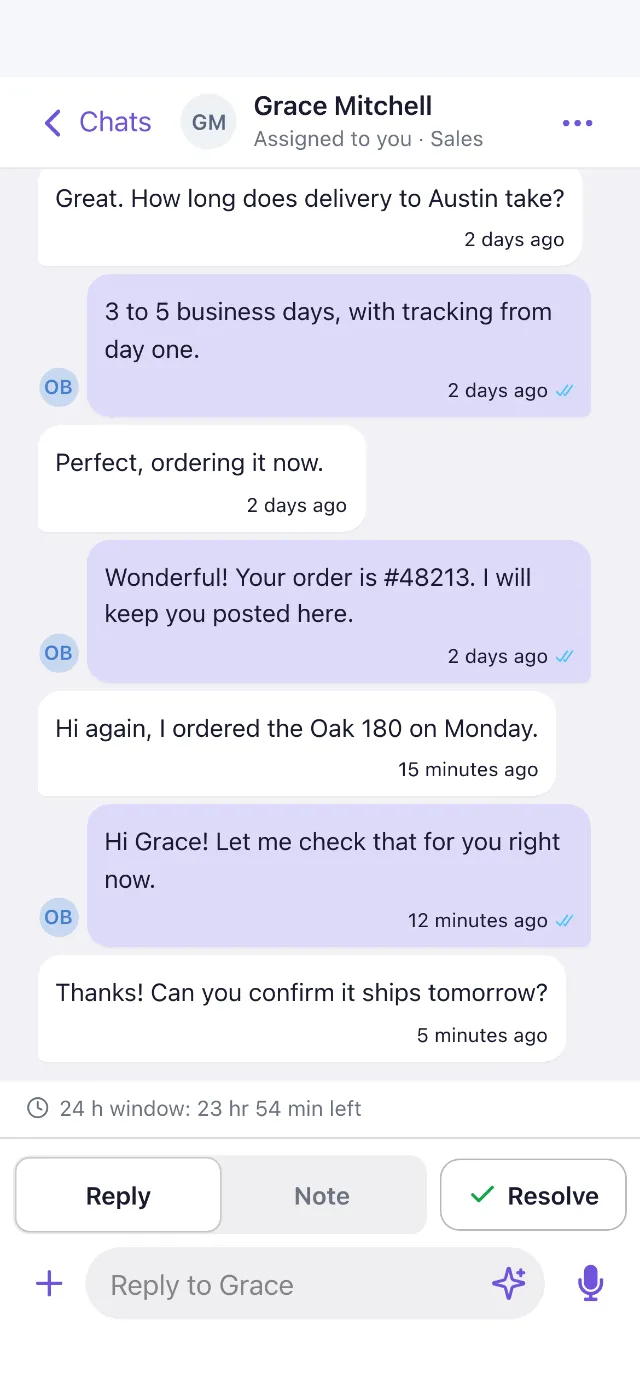
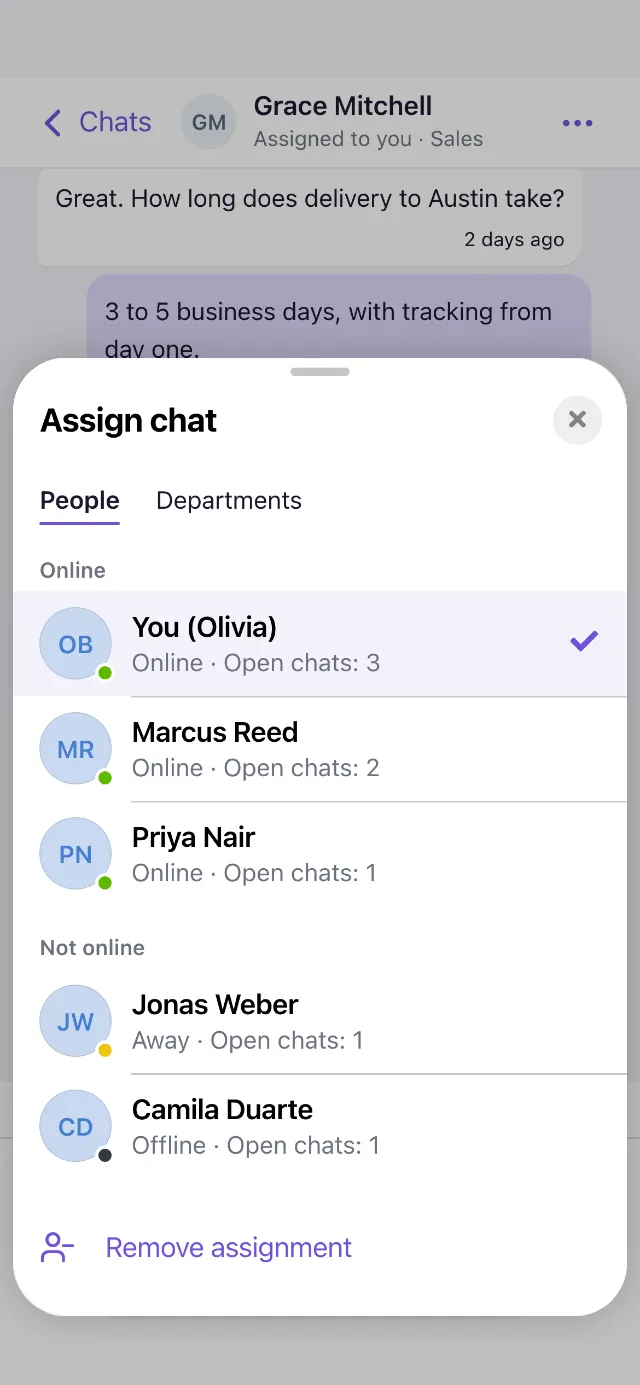
To see or edit the contact (labels, who the chat is assigned to, email), tap ⋯, then See contact.
Frequently asked questions
Does it use my personal WhatsApp? No. You answer from your business number, as on the computer. Customers never see your own number, and nothing changes in your personal WhatsApp.
Do I need to download or pay for anything? No. There's nothing to download from an app store and nothing to pay: it's the same PulpoChat you already use. Adding it to your home screen only gives it its own icon.
Will my phone alert me of new chats? Not while it's closed. When you open it, Inbox shows what's waiting, with the count on its tab.
Can I do everything on my phone? Almost everything you can do on your computer. Building a Flow is the one thing that stays there.
Does my team need to do anything? No. Each person sees it as soon as they open PulpoChat on their phone, with their own account.